What's new: September 14 - 20, 2026
This week, Koma got more powerful at helping you move work forward. Now with Experts, you can build a team around your work. Plus a home for the work as it happens and a new iOS app to keep you moving quickly.
Highlights
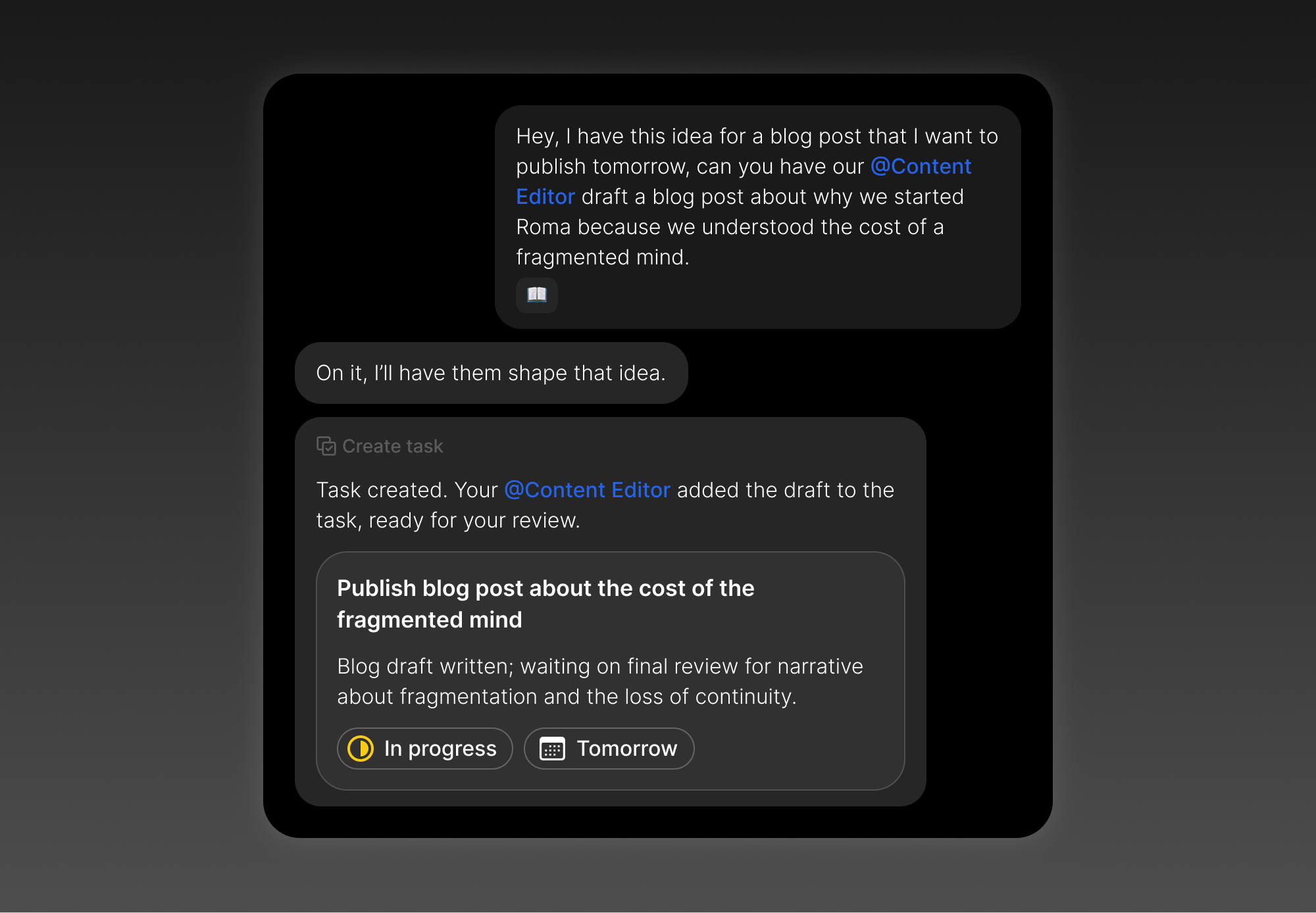
Get more done with Experts. Different tasks benefit from different kinds of help. Every account starts with two Experts, Content Editor and Devil’s Advocate. Build your own for the tasks you do most, then @mention them in any chat to bring them into the work for their point of view.
Keep work with the task. Tasks now have their own workspace. Ask Koma to create a task and research or draft something, and it creates the task, then does the work in that task’s chat. Your main conversation stays clear, while the work stays connected to the task it came from.
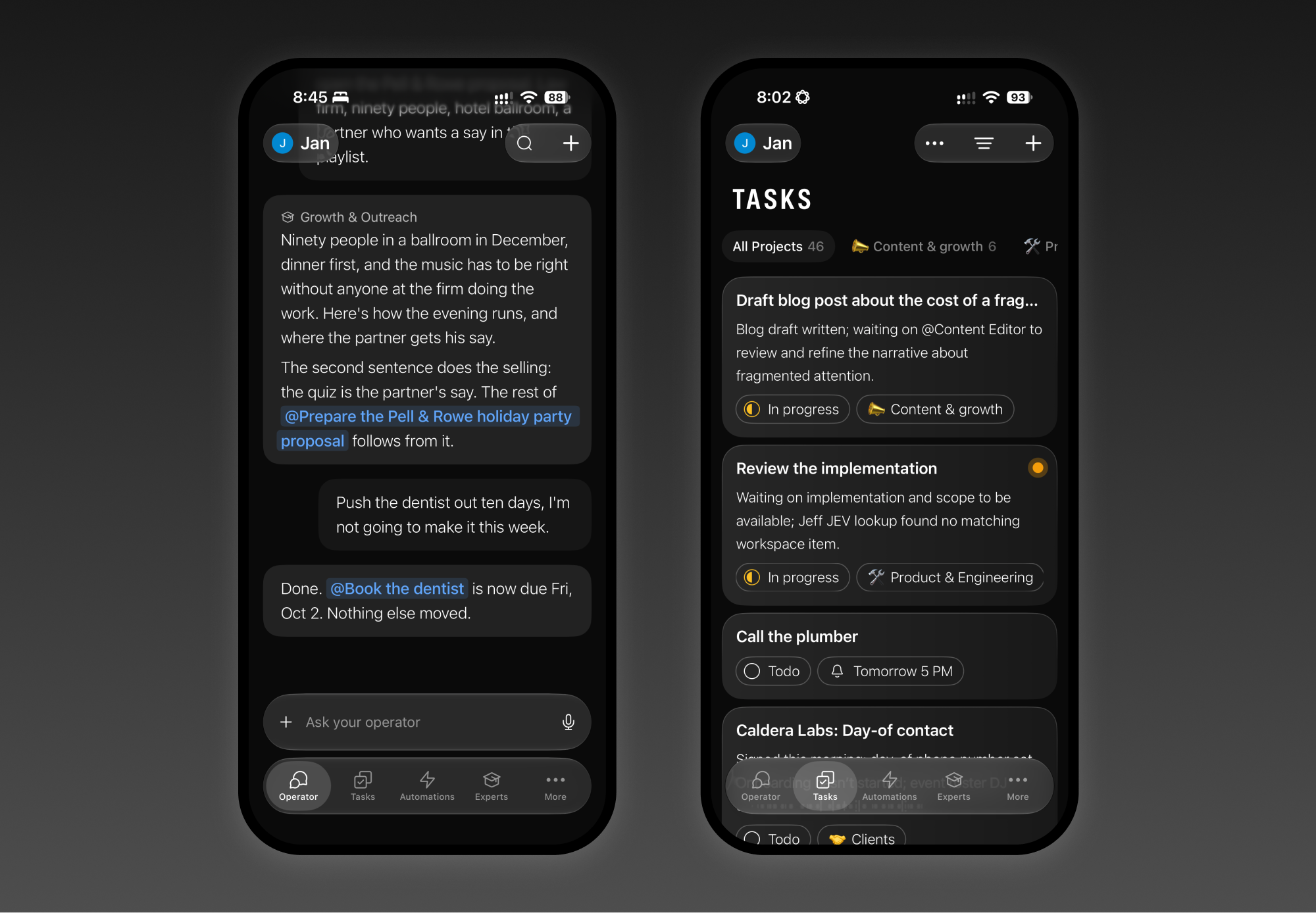
A simpler iOS app, built for speed. Chat comes first, navigation is faster with the custom glass tab bar, and one search brings tasks and conversations together.
All updates
First launch lands on the Operator with onboarding cards, a lighter welcome pane, and Color selected by default. (Web)
Offer cards use the Operator bubble style, Make Koma yours swatches scroll, and briefing actions show “Setting up…” or “Already set up”. (Web)
Connection rows use one tappable “Connect ‹app›” control with a green check after connecting. (Web, iOS)
Every account starts with an active Morning briefing at 08:00 local, using a founder default playbook and its own setup chat. (Backend)
Onboarding cards arrive in the global conversation for new accounts, one per day after the first visit. (Backend)
New accounts start with a Content Editor and a Devil’s Advocate. (Web, Backend)
Experts have their own page, byline, Markdown instructions, conversation roster, responder gate, and hand-back behavior across chat routes and tools. (Web, Backend)
iOS adds an Experts section and page, Expert mentions and bylines, private-chat focus, and Delete Expert. (iOS)
Creating a task with research or drafting now starts that work inside the task’s chat, with the main Operator message at the top. (Web, Backend)
Research or drafting without a task does not create a new task automatically. (Web, Backend)
The on-capture Task Assist pass is retired in favor of task handoffs. (Backend)
The Operator can set a stated task status on create, including “mark it in progress”. (Backend)
Automations run on demand when @mentioned, with a follow-up card after the run. (Web, Backend)
“Create a task” automation notes use the rich body editor, show first and next run dates, and start guided setup in the automation chat. (Web)
Every transcript page now carries reactions on its rows. (Backend)
Every chat bubble gets a menu with Copy text, Copy message ID, and confirmed Delete message. (Web)
Deleting a message soft-hides it from transcript readers, search, and previews. (All clients)
Sent-at time moves to the hover row, and reply drafts render in a copyable panel. (Web)
The recording control gains a cancel button that clears the draft. (Web, iOS)
The @ picker handles typos, word order, and umlauts, shows “No matches,” and displays connected apps with their brand chip. (Web)
“Connection lost” appears only when a device is truly offline and clears automatically. (Web)
Long @mention chips wrap at word boundaries, and body images reserve space with a shimmer while loading. (Web)
Tool errors appear inline in chat, and the web-page reader has clearer icons and labels. (Web)
The Operator chat bar floats above the transcript while the rail chat stays pinned as it grows. (Web)
A consistent skeleton appears while page bodies load. (Web, iOS)
The transcript now moves on one axis, the chat bar no longer flashes on mount, and Tasks filters no longer trigger pull-to-refresh. (iOS)
Charcoal joins the Color swatches, and Color menus and popovers follow the selected swatch. (Web)
Sheen buttons use a reusable glass fill with a top-light rim and floor stroke. (Web, iOS)
The sidebar puts page rows first and simple disclosure sections below; the Operator pill shows working and unread state, Favorites puts newly favorited pages first, and Tasks sorting is fixed. (Web)
The New button names what it creates, and the command palette adds Automations, Experts, Collections, and Check for Updates. (Web, Desktop)
Dark mode restores Kanban backgrounds and lifts the Operator bubble; light mode gets clearer list cards, Kanban edges, compact pages, and more informative collection cards. (Web)
Due-date pickers add “Remove due date,” and mouse-wheel scrolling follows the view under the pointer. (Web)
Admin and Playground now open as persistent tabs. (Web)
The Action Button opens directly into an Operator take before iOS reaches the screen. (iOS)
Chat is now the launch view in the only app shell, using a custom glass tab bar; the classic root, layout switch, and latched Operator mode are retired. (iOS)
Settings opens as a push within the current tab. (iOS)
The app settles Chat first on launch and after tab changes, opening the transcript at its newest message with reaction pills. (iOS)
The custom tab bar uses a spring selection lens, and returning to Operator goes to the latest message. (iOS)
Search combines page and transcript search in one full-screen Chat sheet. (iOS)
Favorites, Projects, Collections, and Notes get empty states; Automations and Experts are default tabs; Settings gains Tab bar and More sections, and each section’s plus button creates that section’s item. (iOS)
Onboarding in Chat includes today’s meetings or Google Calendar connection, Make Koma yours, and the Morning briefing. Returning accounts see a skeleton instead of the welcome card. (iOS)
The selected Color swatch remains the device source of truth across Realtime, pull, and bootstrap, and failed saves retry. (iOS)
Long-pressing a bubble offers Delete message, Copy message ID, and sent-at time; Reply opens the composer with keyboard and reply pill. (iOS)
The iOS @ picker matches web ranking and connected-app mentions. (iOS)
Schema-rejected bodies can no longer leave detail pages empty, and body images load with a shimmer. (iOS)
Settings cleanup moves Cleanup, Show priority, and Show completed tasks to the root; renames Connections and Permissions to match web; keeps one Sync filters switch; and removes Quick Capture plus nine Debug rows. (iOS)
An account deleted on another device signs the phone out immediately. (iOS)
Shake bug reporting files a ticket with a screenshot, device facts, and the day’s logs. (iOS)
Collection and project surfaces say Update, never Change. (iOS)
Main-thread tab-switch hangs were traced and fixed, including the Favorites, Projects, and More crash. (iOS)
Signing out returns web and desktop to a fresh state, and deleting an account elsewhere signs those clients out immediately. (Web, Desktop)
Bodies are validated and repaired at write time, so malformed content no longer leaves empty pages or crashes the Mac app on an empty blockquote. (All clients)
General replaces Preferences; Cleanup names enrichment controls; Show priority and Show completed tasks move into Tasks & Notes; Import returns; and Admin keeps only levers and diagnostics. (Web, Desktop)
The app badge represents one unread Operator message across clients. Pushes carry it, reminders no longer add due-today counts, and stuck handoffs no longer leave a Dock badge. (All clients)