What's new: September 21 - 27, 2026
The Operator moves with your work
Most AI products are centered around the chat. We prefer to do our work in artifacts and have the chat be the assistant to the artifact. In Koma, you can chat about anything, especially about your workspace, with the Operator centered. The moment you open a task, it slides to the right so the task is front and center. Ask a question, bring in an expert, keep moving, without ever losing what you're focused on.
Tasks should take no time to start
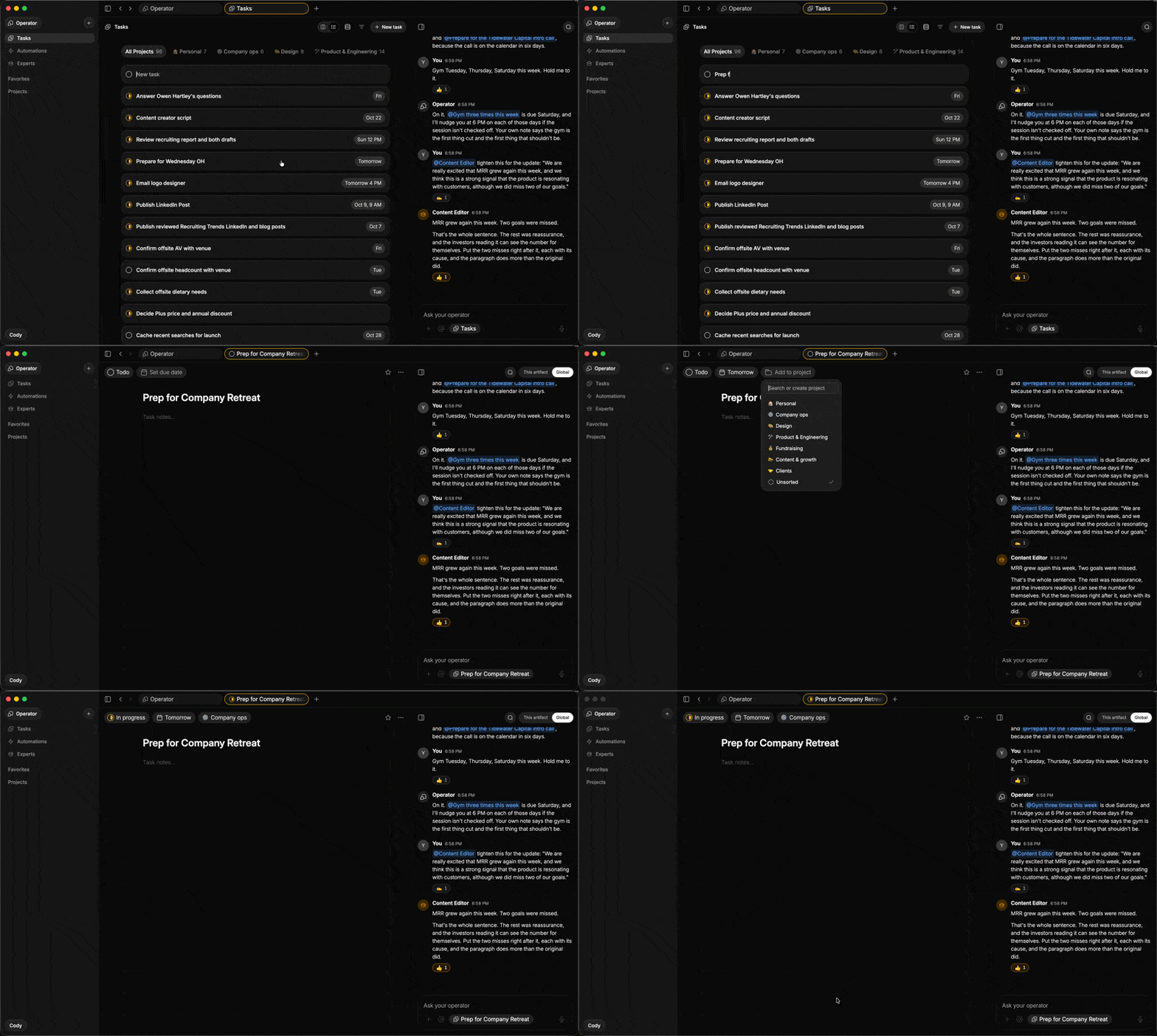
Koma has always been anchored around voice, but keyboard is great too, so we built it for both. Say it out loud, or stay on the keyboard: hit Cmd+N and type straight into the new inline row at the top of your list or any project, hit enter to create the task, enter again to step inside, then set the details and start writing. Now your task shows up as fast as the idea did.
Chat feels better in the moment
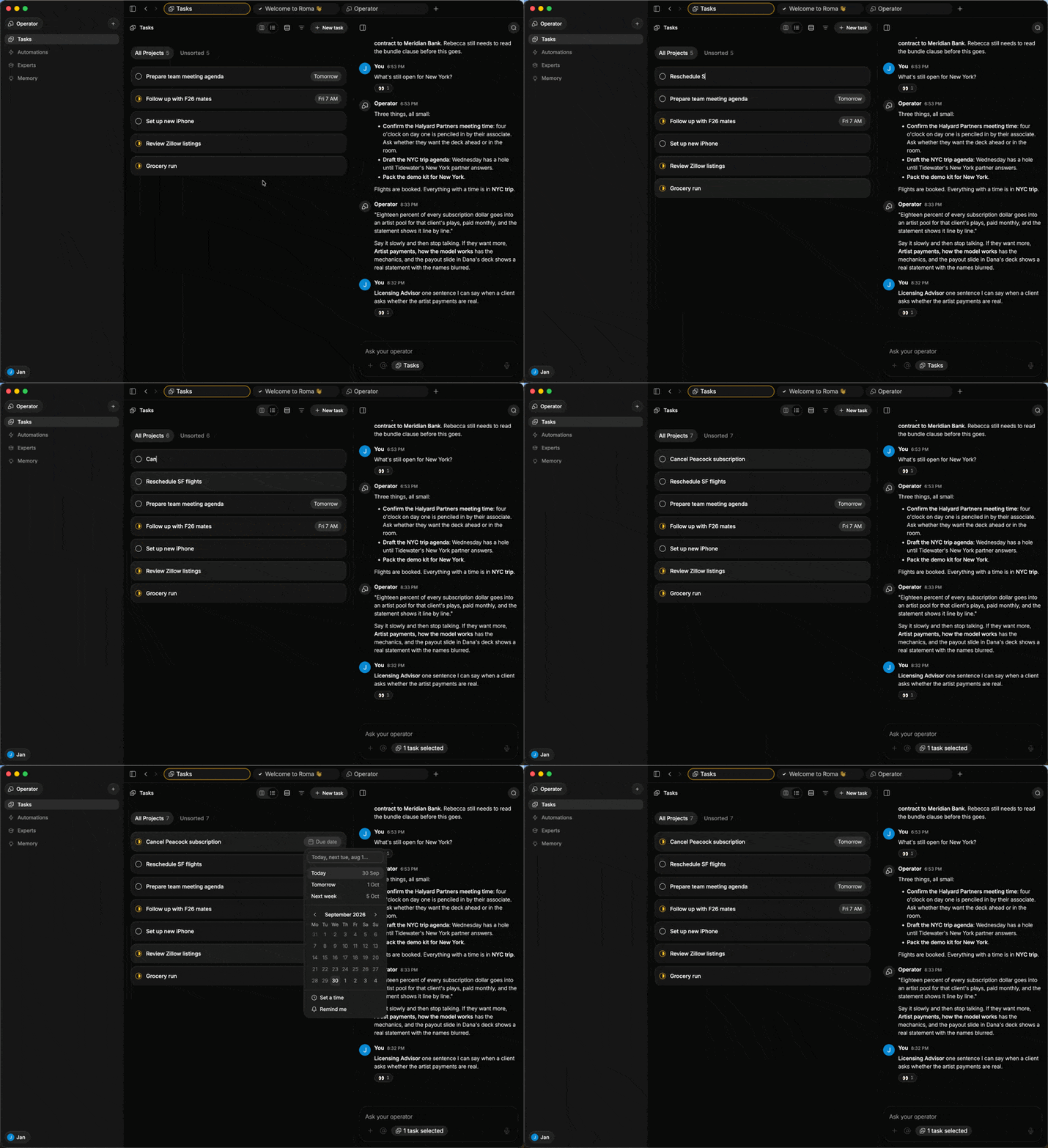
We reworked chat around how it feels to use, especially on iPhone: calmer spacing, messages sized to what they say, clearer context, and less visual noise while you’re thinking things through.
All updates
The Operator now has a dedicated, fixed home on the right, keeping your work centered while its conversation remains available as you navigate.
The Operator stage is now the default on web and desktop. Open it from the sidebar, switch back to it from its tab, and keep working while the conversation follows along.
When you open an artifact, the chat moves into the rail and glides back when you return.
An artifact’s own conversation takes over the rail gently, while your global Operator conversation remains available as you navigate.
Voice no longer starts automatically, and every tab keeps its conversation scroll position.
The Operator’s status is visible from the sidebar while it is working.
Chat now uses a clearer vertical layout, with the thinking label in the message header.
Messages and cards share a calmer spacing rhythm, while bubbles hug their text more closely.
Web-search sources now sit in a single scrolling row.
Draft, brief, and code panels are easier to read.
Ordered lists now count correctly past 9.
References to deleted or archived pages are safely inert and explain what happened.
Confirmed Create expert cards remain confirmed.
The sidebar now has a clearer account switcher at the top, with a new-account shortcut beside it.
The sidebar now has clearer unread-message treatment that clears when read.
The page header is cleaner, with edited and sync details moved into the more menu and shared status shown as an icon.
The chat rail no longer includes a history button.
Create a task directly from an inline New task row on Tasks and project lists.
New notes open with the title focused, and experts now have a guided setup.
New accounts start with compact rows.
Lists and boards now use the same shared list body and motion system for more consistent behavior.
Cards now have a consistent compact shape and default shape across lists and boards.
Compact task rows are now consistent everywhere, including task capsules in chat.
On iPhone, choose compact or full-size task rows from the Tasks tab’s more menu.
Light mode has a refined porcelain card treatment, and the sidebar and cards sit more clearly above the page background.
Page titles are lighter, icons use a more consistent weight, and dark-mode hover states are subtler.
Pages and sidebar destinations now open in the click’s frame, tabs switch immediately, and the Mac app keeps visited tab bodies alive.
On Mac, pin a tab from its context menu so it stays in place, with pinned tabs leading the tab strip.
New tabs now show Recents above Create something.
Switching between Experts and Tasks no longer flashes both pages.
Keyboard shortcuts ⌘S, ⌘D, and ⌘P now reliably open their pickers, which handle arrow keys and Enter correctly.
Escape now cleanly cancels untouched new notes, automations, experts, and collections.
Archiving a task now removes it from the list as expected.
Hover cards and popovers now stay inside the viewport.
@mention chips in a page body can now be selected like text.
Download images from an image’s context menu on web and iPhone.
The command palette now says Notes instead of Docs.
On Mac, quitting asks first whether you use ⌘Q, the Dock, or the tray.
Web-link context menus now include Copy link and Open link.
Fresh Mac installs no longer show the developer-tools dialog or Accessibility pane until you enable the relevant feature.
Onboarding is clearer from the first launch, with a more focused welcome card, one connection card at a time, refreshed glass styling, and Dark and Light choices surfaced earlier.
The first launch now opens on the Welcome task.
On iPhone, the tab bar has more Liquid Glass while continuing to respect your system appearance preference.
Light appearance on iPhone now matches the refreshed web styling for cards, chips, and pills.
A completed create request no longer remains stuck on Creating tasks until you relaunch.
The Automations and Experts tabs no longer flash an empty state before their data loads.
A brand-new account’s first conversation now opens at the welcome card.
The Operator button in pushed iPhone views now shows the correct icon.
Search now uses one fuzzy scorer across web, iPhone, and backend, improving results for abbreviations, typos, transpositions, and acronyms.
The command palette can now find experts by name.
The public MCP setup page is ready, and the production MCP endpoint has been verified.
Landing-page replicas now more closely match the current Koma interface, including automations with runs, the launch story, the reaction pill, and tab-strip menus.
A stale stylesheet that reached staging has been fixed.
The Mac release uploader no longer rejects a signed build because of the local Git checkout state.
This release also includes smaller bug fixes and improvements.